
One office, three countries, every meeting room ready
We’ve just completed a Neat video conferencing installation in London for a data storage client, a growing business with its headquarters in London and offices in Spain and the United States. With colleagues spread across three countries and several time zones, video calls aren’t an occasional extra for this team. They’re how the business runs.
We fitted three meeting rooms and a large communal space with Neat devices running Microsoft Teams Rooms, so anyone in London can walk into any room, tap once and be face to face with colleagues in Madrid or California.
The brief
The client was moving into a beautifully designed new London space and wanted technology that matched it: discreet, simple to use and identical from room to room. Their priorities were:
- Consistency. Every room should look and work the same, so nobody needs training twice.
- One-touch meetings. Staff and visitors should join a Teams call in seconds, without hunting for cables or remotes.
- Flexible spaces. The open communal area needed to double as a large meeting space without a permanent wall-mounted screen.
- Easy room booking. People should see at a glance which rooms are free before they walk in.
- Clean design. No trailing cables or bulky kit spoiling the interiors.
What we installed
We chose Neat for this project because its devices are built for Microsoft Teams Rooms, look at home in a designed interior, and give every room the same simple interface.
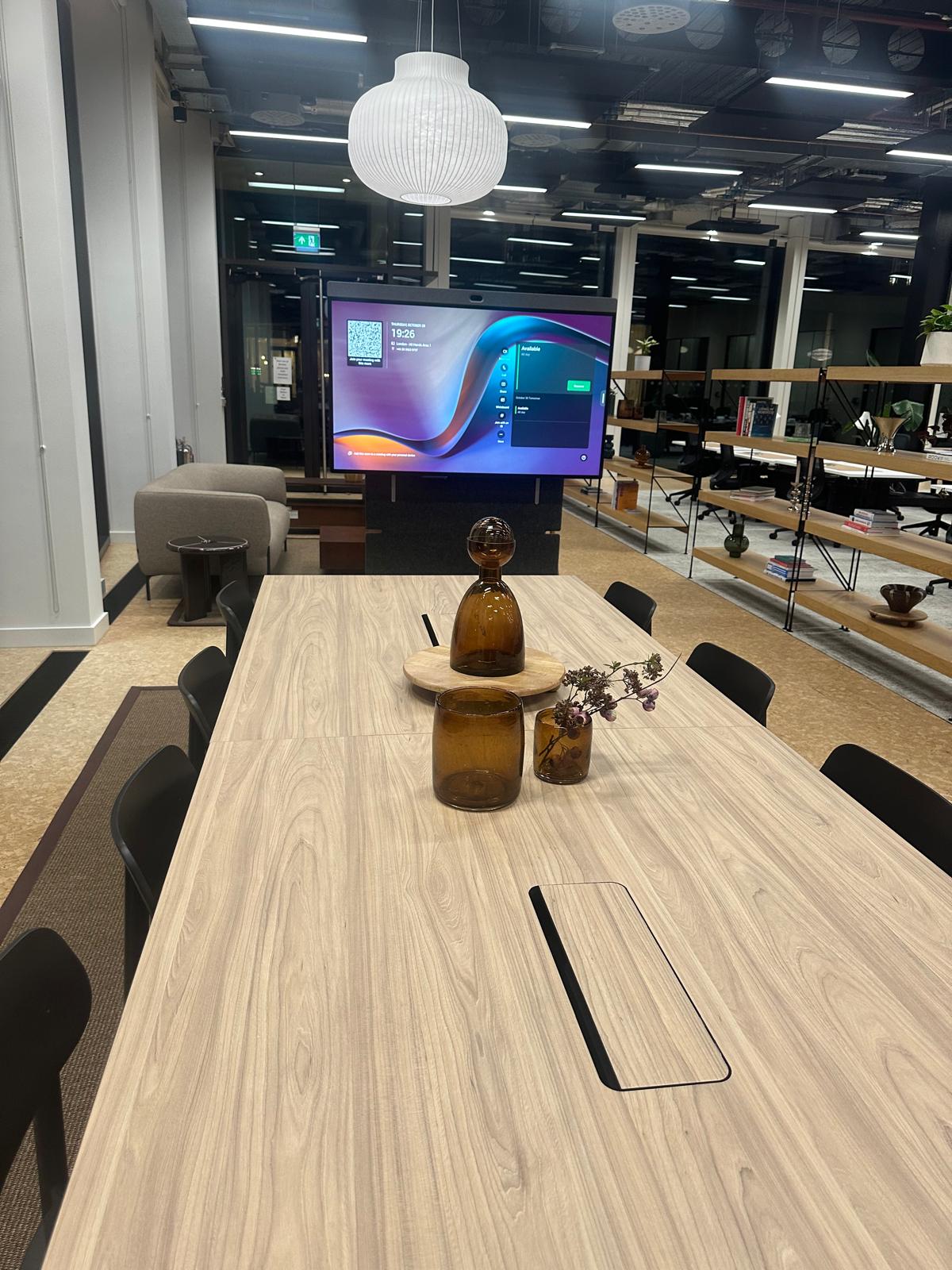
The open-plan communal area is used for team lunches, town halls and large meetings. A Neat Board on a floor stand turns the long shared table into a full video meeting space, with a built-in camera, microphones and speakers, plus a touchscreen for whiteboarding and sharing. Because it isn’t fixed to a wall, the space stays flexible.
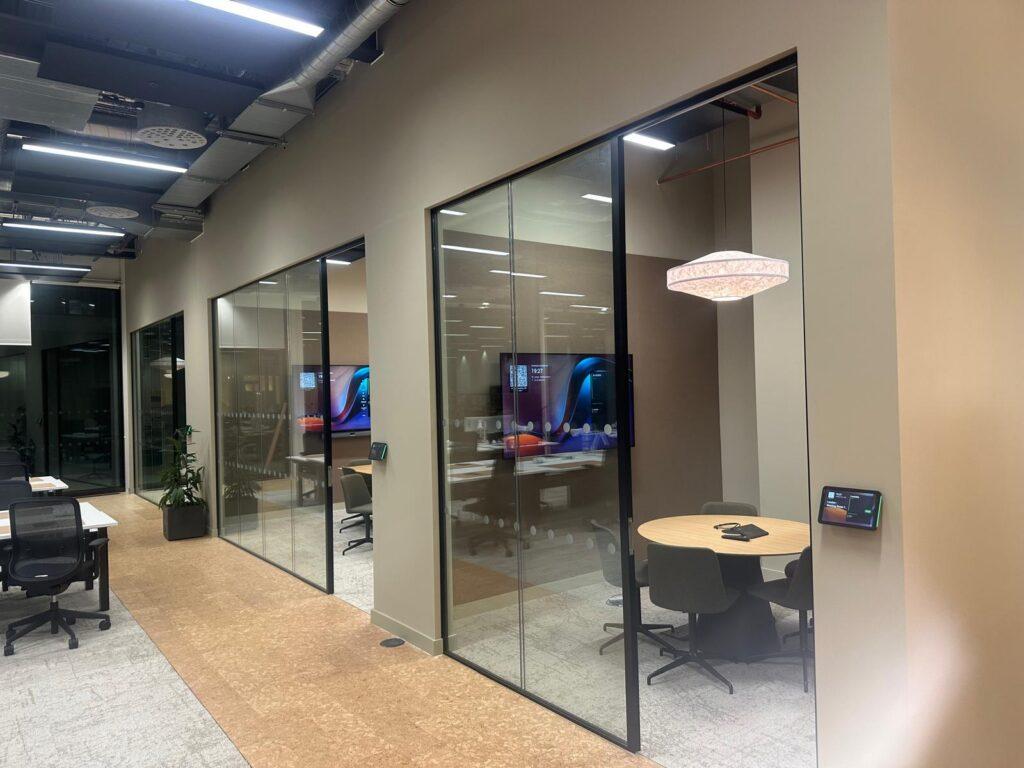
In each meeting room we wall-mounted a display with a Neat Bar directly beneath it, keeping the camera close to eye level so remote colleagues see faces, not the tops of heads. A Neat Pad on the table acts as the controller: people tap to join their scheduled Teams meeting, share content or start a whiteboard.
Smaller rooms got the same setup, so the experience is identical whether you’re in a small huddle room or a larger meeting room. All cabling runs through the wall and into flush table power modules, leaving the tables clear.
A Neat Pad mounted beside each door works as a room booking panel, linked to the company’s Microsoft 365 calendars. A green light means the room is free; staff can see what’s booked next and grab a room on the spot.
The result
The London team now has four video-ready spaces that all work the same way. Walk in, tap the Neat Pad, and the meeting starts. Colleagues in Spain and the US see and hear everyone clearly, and nobody wastes the first five minutes of a call fixing the tech.
Because every device is managed centrally, we can push updates and spot issues remotely, keeping rooms ready without disrupting the working day. And with the same Neat setup, the client has a ready-made standard to roll out to its offices in Spain and the US.
Planning a new office or meeting room upgrade?
Whether you have one room or offices across several countries, we’ll design, install and support video conferencing that just works.
Book a free meeting room consultation